

Architecting on AWS
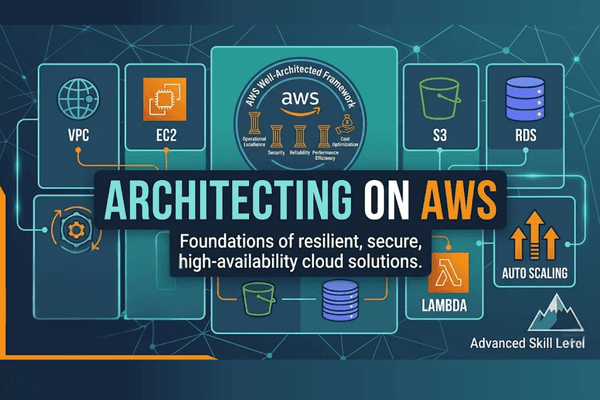
Field | Description / Template |
|---|---|
Purpose | To provide a deep dive into the fundamentals of building resilient, secure, and highly available IT solutions on AWS by applying the AWS Well-Architected Framework to real-life scenarios. |
Audience | Technical professionals looking to master cloud architecture and those preparing for the AWS Certified Solutions Architect – Associate certification. |
Role | Solutions Architects, Solution-Design Engineers, and Developers. |
Domain | Cloud Architecture / Infrastructure Design / IT Operations. |
Skill Level | Intermediate |
Style | Scenario-based instructor-led training focusing on best practices across compute, storage, networking, and security, culminating in a practical solution-building exercise. |
Duration | 3 Days |
Related Technologies | AWS Well-Architected Framework, VPC, EC2, S3, RDS, Lambda, Containers, Auto Scaling, and Edge Services. |
Course Description
Architecting on AWS is designed for solutions architects, design engineers, and developers who seek a comprehensive understanding of AWS architecting. In this course, you will learn to identify the services and features necessary to build resilient, secure, and highly available IT solutions. Because architectural solutions differ by industry and business size, AWS Authorized Instructors emphasize best practices using the AWS Well-Architected Framework. The curriculum guides you through designing optimal solutions based on real-life scenarios, covering everything from networking and account security to serverless and backup recovery.
Who is this course for
This course is intended for technical individuals who need to design cloud infrastructures. It is particularly beneficial for:
Solutions Architects and Design Engineers responsible for technical roadmaps.
Developers who want to understand the infrastructure their code runs on.
Certification Seekers aiming for the AWS Certified Solutions Architect – Associate exam.
Course Objectives
Core Best Practices: Identify AWS architecting basic practices and account security fundamentals.
Network Design: Build secure virtual networks with public/private subnets and explore hybrid networking and peering.
Resource Selection: Compare and select appropriate compute, storage, and database services based on specific business use cases.
Scalability & Monitoring: Identify the roles of load balancing, auto-scaling, and monitoring to maintain application health.
Modern Architectures: Explore the benefits of containers, serverless architectures, and edge services for latency and security.
Resiliency: Implement backup and recovery solutions to ensure business continuity and disaster recovery.
Prerequisites
Required: Completed AWS Cloud Practitioner Essentials or AWS Technical Essentials.
Technical Knowledge: Working knowledge of distributed systems and multi-tier architectures.
Networking: Familiarity with general networking concepts and IP addressing.
General: Basic understanding of cloud computing concepts.
Course outline
Section 1: Architecting Fundamentals
AWS services
AWS infrastructure
AWS Well-Architected Framework
Lab: Explore and interact with the AWS Management Console and AWS Command Line Interface
Section 2: Account Security
Principals and identities
Security policies
Managing multiple accounts
Section 3: Networking 1
IP addressing
VPC fundamentals
VPC traffic security
Section 4: Compute
Lab: Build your Amazon VPC infrastructure
Compute services
EC2 instances
Storage for EC2 instances
Amazon EC2 pricing options
AWS Lambda
Section 5: Storage
Storage services
Amazon S3
Shared file systems
Data migration tools
Section 6: Database Services
Lab: Create a database layer in your Amazon VPC infrastructure
Database services
Amazon RDS
Amazon DynamoDB
Database caching
Database migration tools
Section 7: Monitoring and Scaling
Lab: Configure high availability in your Amazon VPC
Monitoring
Alarms and events
Load balancing
Auto scaling
Section 8: Automation
AWS CloudFormation
Infrastructure management
Section 9: Containers
Microservices
Containers
Container services
Section 10: Networking 2
VPC endpoints
VPC peering
Hybrid networking
AWS Transit Gateway
Section 11: Serverless
Lab: Build a serverless architecture
What is serverless?
Amazon API Gateway
Amazon SQS
Amazon SNS
Amazon Kinesis
AWS Step Functions
Section 12: Edge Services
Lab: Configure an Amazon CloudFront distribution with an Amazon S3 origin
Edge fundamentals
Amazon Route 53
Amazon CloudFront
DDoS protection
AWS Outposts
Section 13: Backup and Recovery
Capstone: Build an AWS multi-tier architecture.
Disaster planning
AWS Backup
Recovery strategies